2026-02-16
Closed Caption Meaning: What "CC" Actually Means
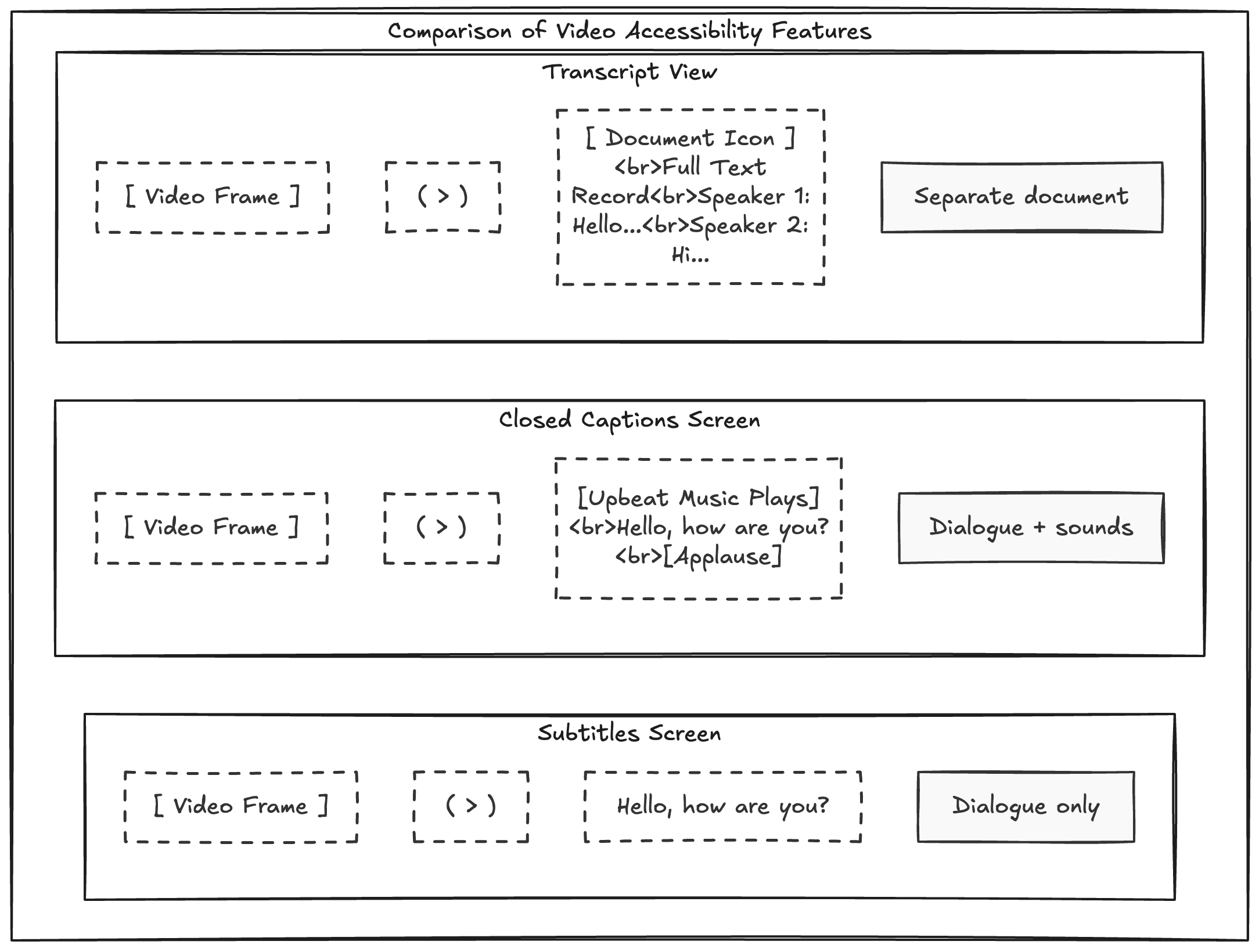
Ever watched a video on mute in a crowded coffee shop? Those words appearing on screen—[music], [applause], [laughter]—are closed captions.
"CC" stands for closed captions: timed text displayed on video that viewers can toggle on or off. Unlike subtitles, captions include non-speech audio cues that help viewers follow along without sound.
Closed Captions in Plain English
Closed captions are on-screen text synchronized with video audio, designed to make content understandable without hearing the sound.
The word "closed" means viewers control whether captions appear. "Open" captions, by contrast, stay permanently embedded in the video.
Closed Captions vs Subtitles
People use these terms interchangeably, but the differences matter.
| Feature | Closed captions | Subtitles |
|---|---|---|
| Primary purpose | Accessibility | Dialogue display or translation |
| Non-speech sounds | Usually included | Often not included |
| Viewer control | Usually on/off toggle | Depends on platform |
| Typical use | Accessibility compliance and inclusion | Translation and international distribution |
Closed Captions vs Transcripts
Both use text, but serve different purposes.
- Closed captions are timed for on-screen playback.
- Transcripts are document-style text records of speech.
A transcript often becomes the source text used to create captions. You read transcripts; you watch captions.
Open Captions vs Closed Captions
- Open captions burn into the video permanently. Viewers cannot turn them off.
- Closed captions live as separate tracks that users can toggle.
Open captions dominate social feeds where videos autoplay muted. Closed captions work best on platforms supporting caption tracks, such as YouTube and streaming services.
When to Use Closed Captions
Add closed captions when you want to:
- Improve accessibility for deaf and hard-of-hearing audiences
- Support sound-off viewing behavior
- Help viewers follow content in noisy environments
- Meet platform or legal compliance requirements
How to Create Closed Captions
Typical workflow:
- Transcribe the audio
- Edit the transcript for accuracy
- Add timing and caption segmentation
- Export caption files (SRT, VTT, or platform-specific formats)
- Upload captions to your video platform
Frequently Asked Questions
What does CC stand for on a video player?
CC stands for closed captions.
Are closed captions and subtitles the same thing?
Not exactly. They overlap, but closed captions focus on accessibility and usually include non-speech sounds.
Why are closed captions important?
They make video content more accessible and easier to consume in sound-off contexts.
Do closed captions help with SEO?
They can indirectly help by improving engagement and accessibility. The underlying transcript text also helps with indexing and content repurposing.
Start Adding Captions to Your Videos
Closed captions make your content accessible to more people—whether they are deaf, hard of hearing, or watching on mute.
Ready to add captions to your videos? Upload your file and get started in minutes.